


A bank balance tells you what is there now. Paycheck Budget helps you see which recorded bills still need money before the next planned payday. It brings regular income dates, actual cash entries and remaining bill obligations into one review.
Who it fits
Use it when you enter transactions manually and want to plan between paydays. It supports one or two regular income sources, each on a biweekly, semimonthly or monthly schedule. Two sources can have different dates. It does not calculate how partners should split a shared expense; use Couples Budget for that question.
One payment, counted once
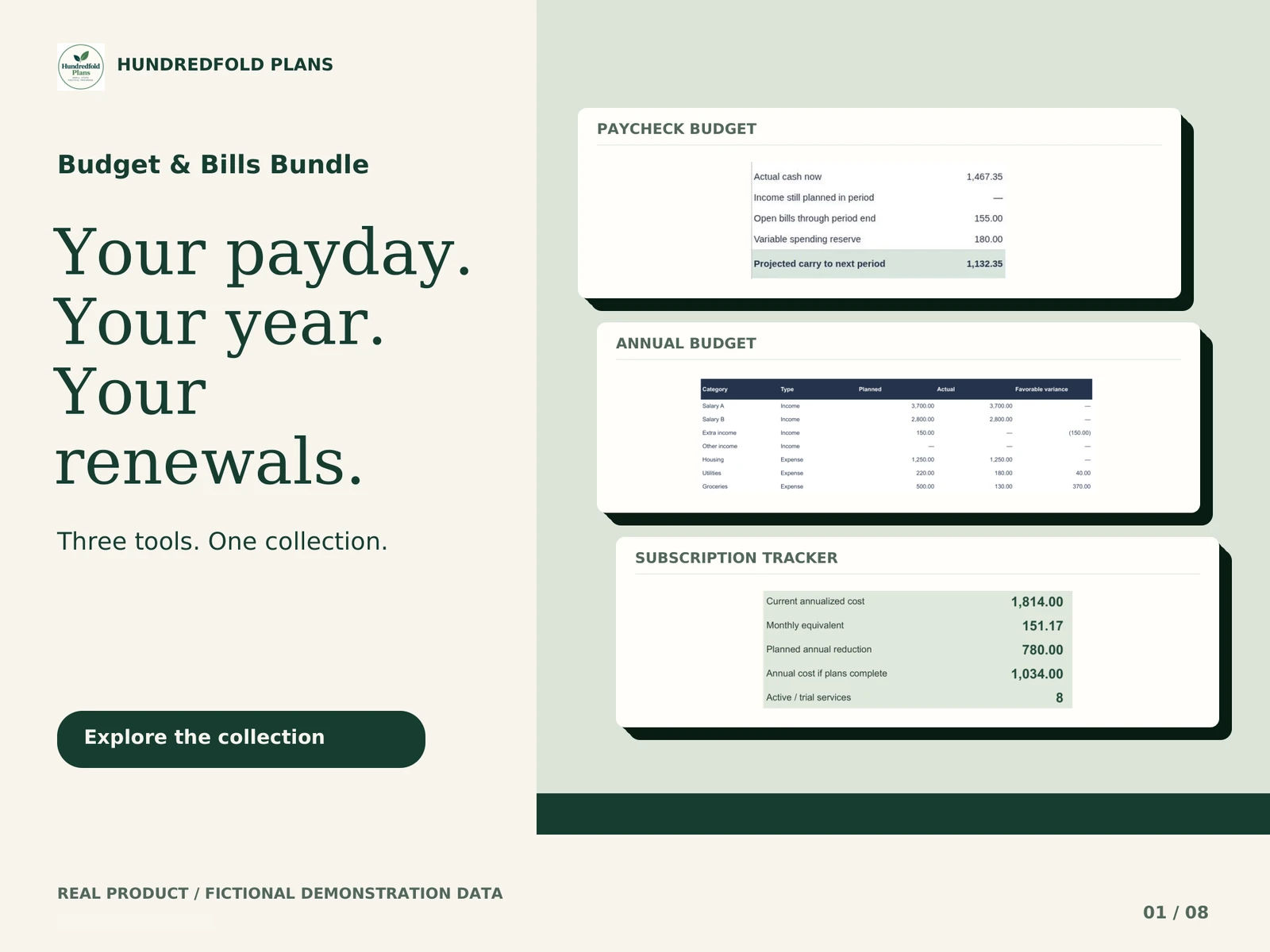
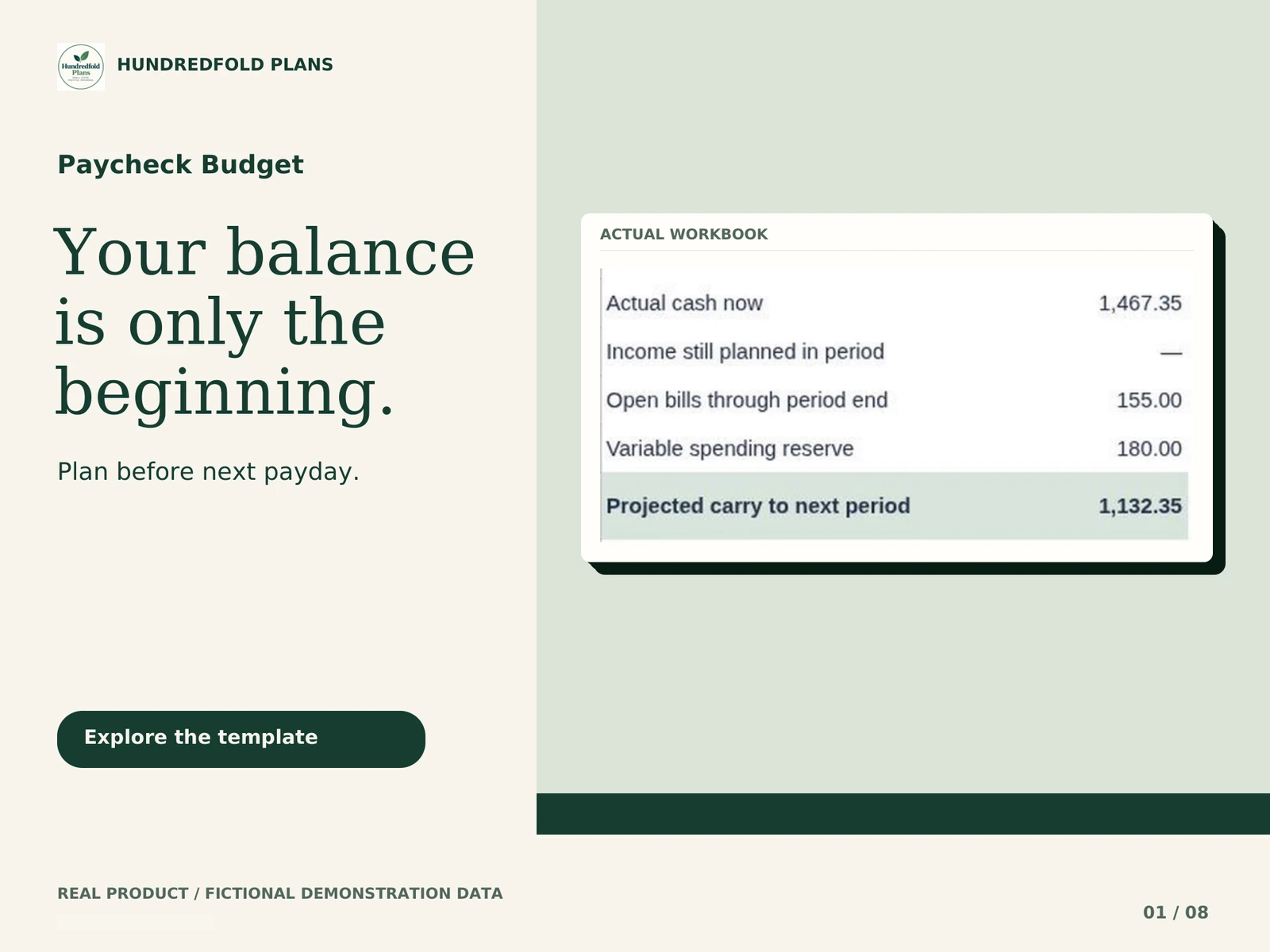
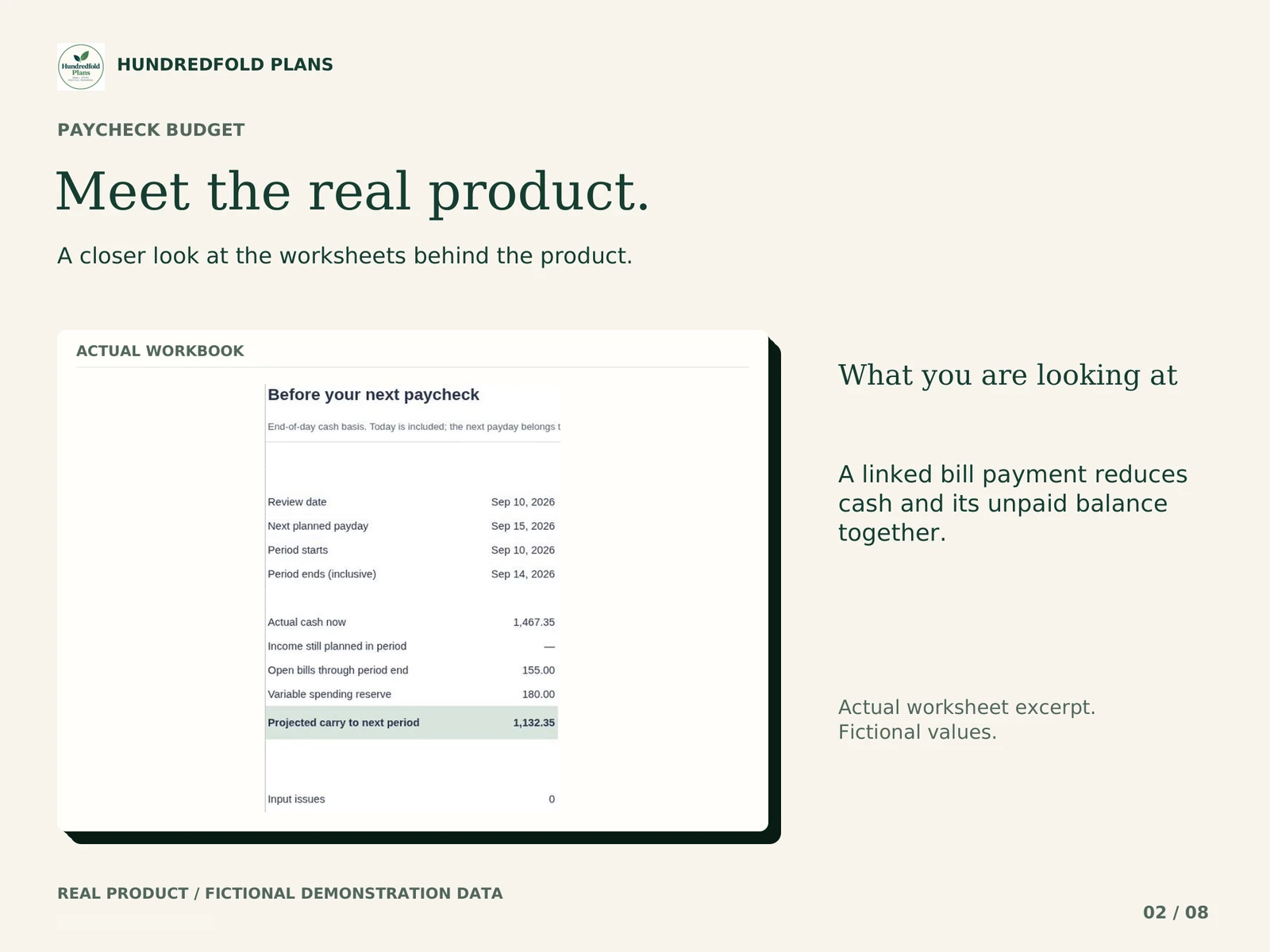
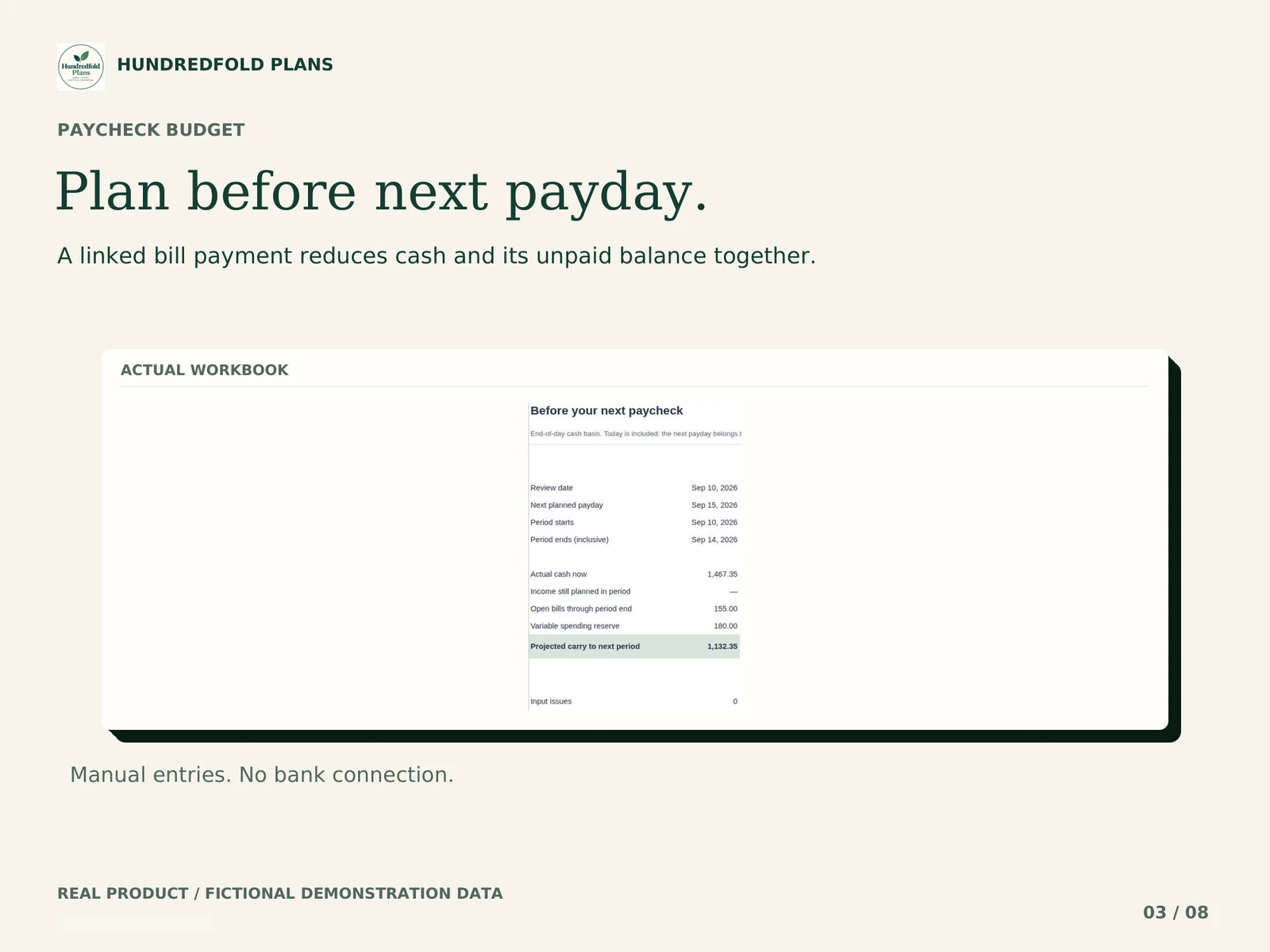
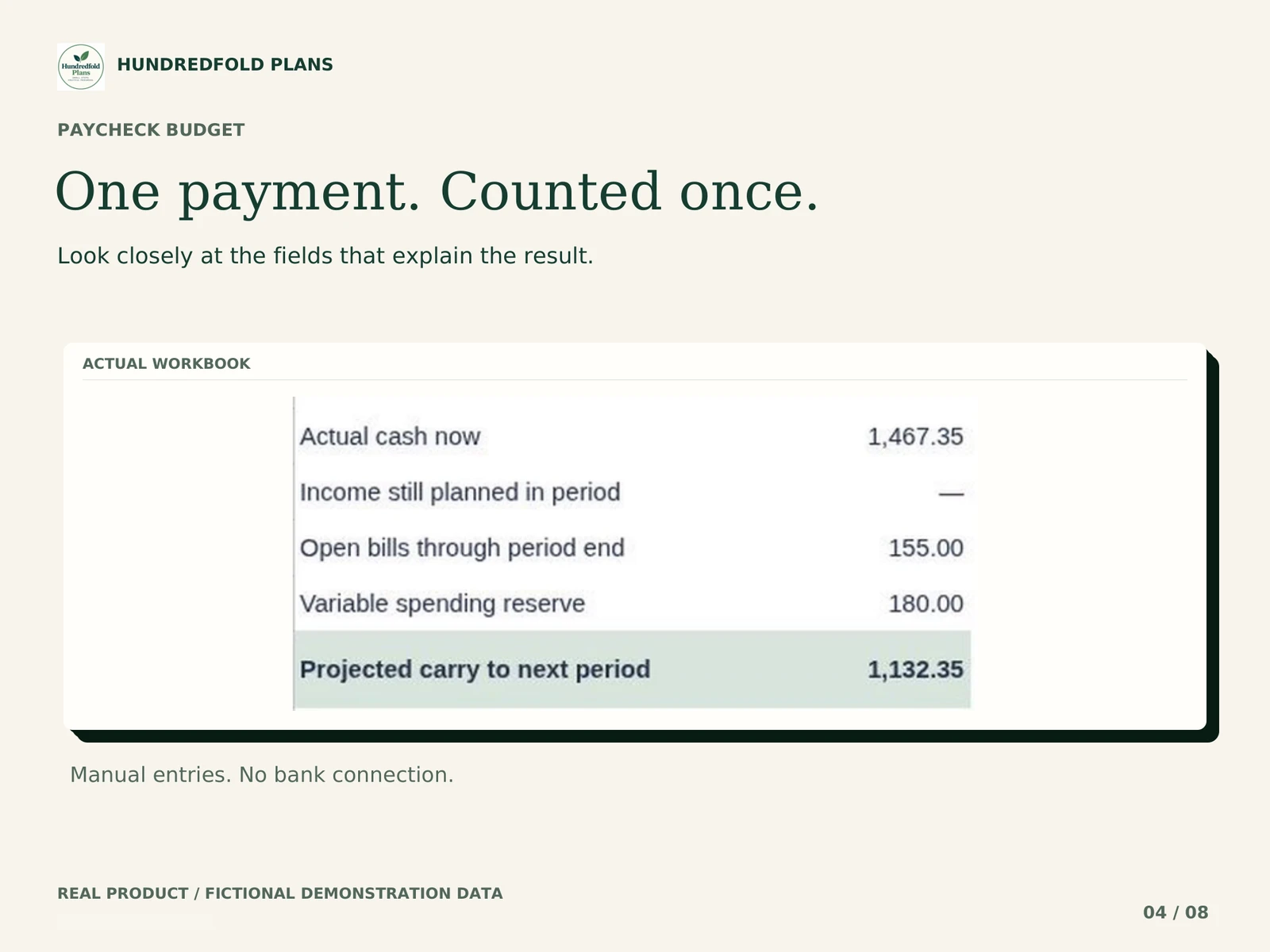
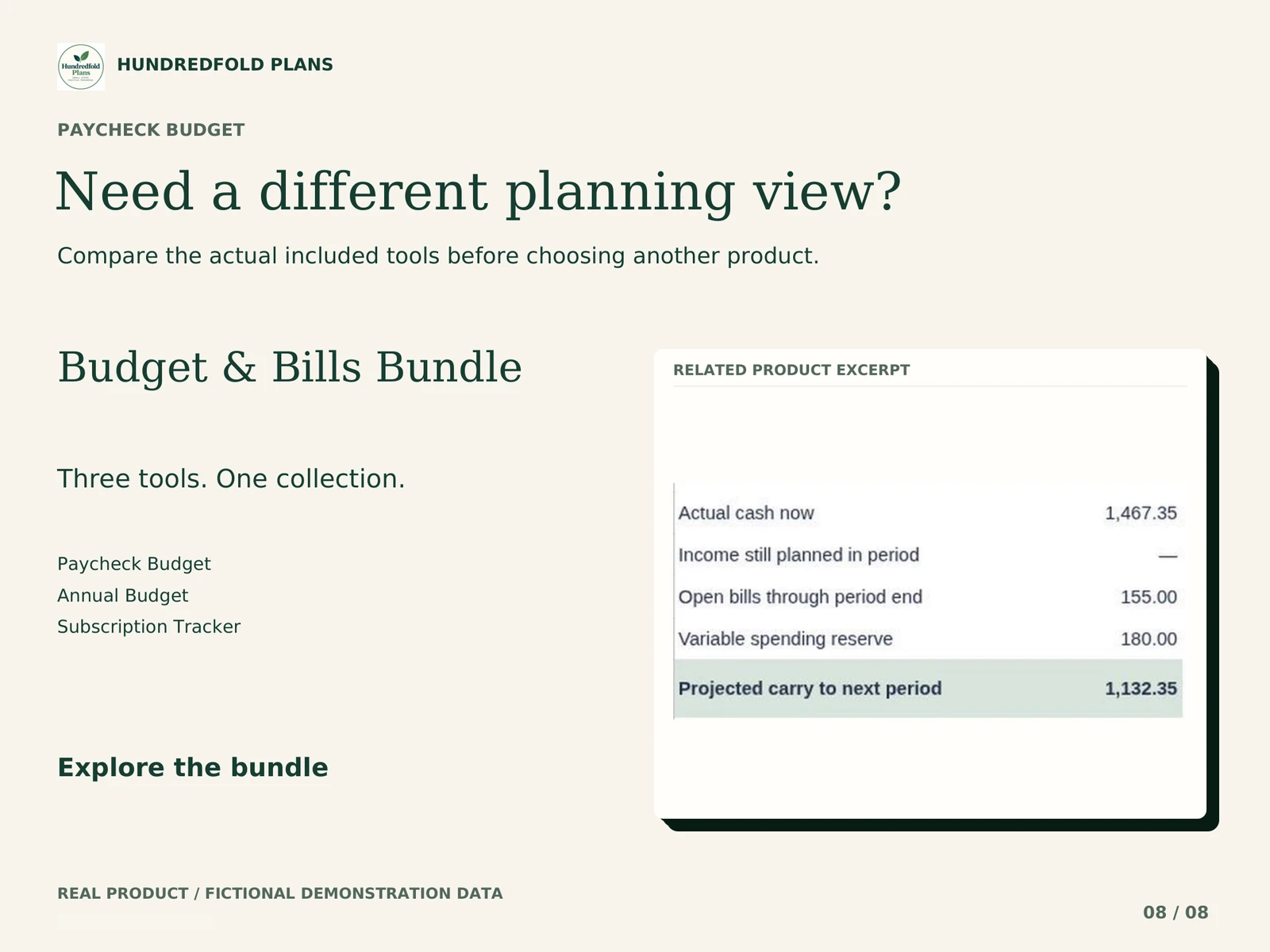
In the fictional example, actual cash is $1,467.35. The next planned payday is September 15, 2026. Open bills through September 14 total $155, and a variable-spending reserve is $180. Projected carry is $1,132.35.
Record the $65 internet payment once in TRANSACTIONS and link it to its Bill ID. Actual cash becomes $1,402.35 and open bills become $90. Projected carry remains $1,132.35: the paid portion is no longer also reserved as unpaid. Watch the 12-second demonstration and read the calculation.
| Fictional September 10 review | Before the $65 payment | After the linked payment |
|---|---|---|
| Actual cash | $1,467.35 | $1,402.35 |
| Open bills through September 14 | $155.00 | $90.00 |
| Variable-spending reserve | $180.00 | $180.00 |
| Projected carry | $1,132.35 | $1,132.35 |
How to budget by paycheck in this file
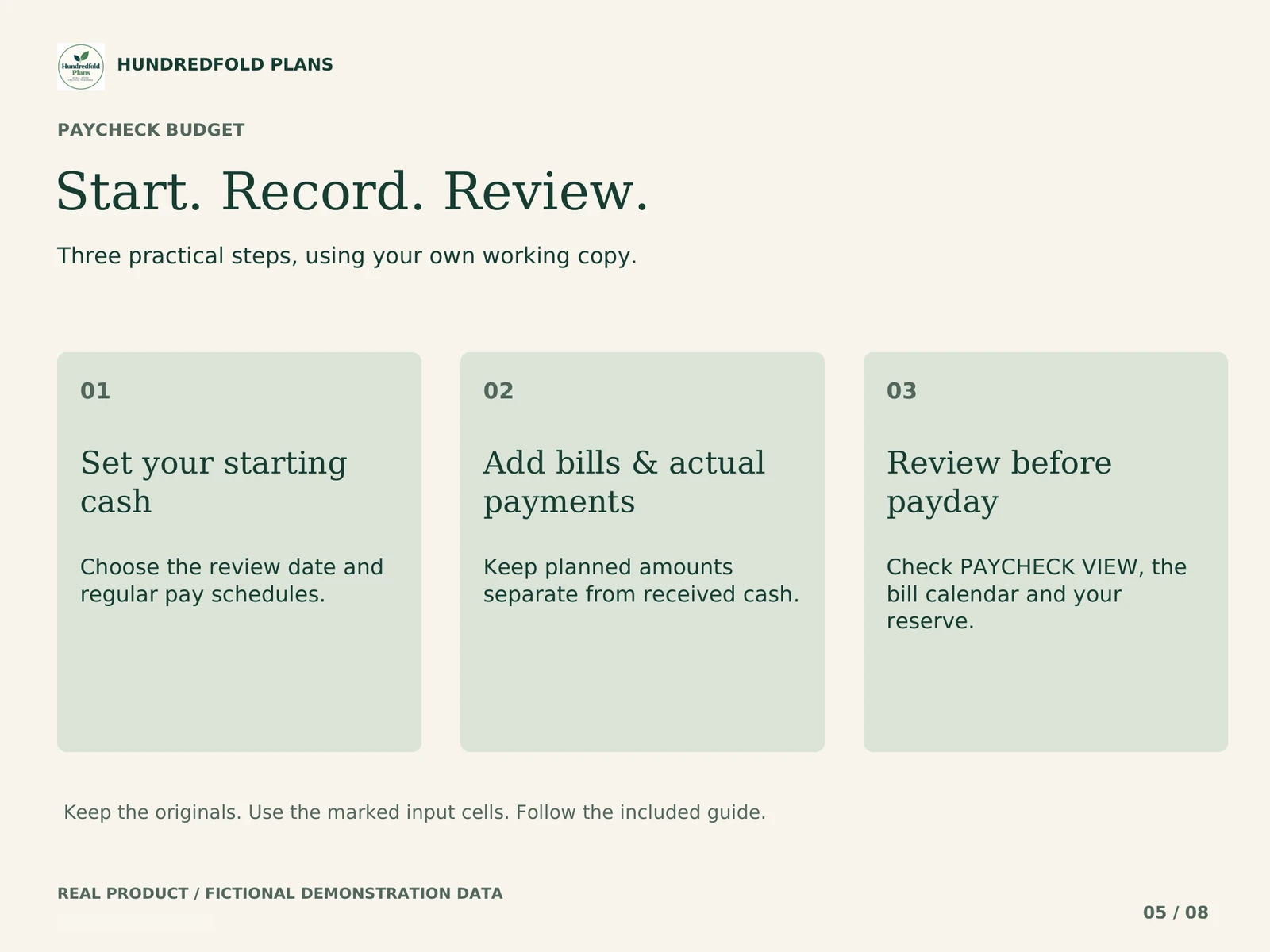
- Set the opening cash scope and enter the actual dates for your one or two regular income sources.
- Add each bill occurrence with its own Bill ID, due date and planned amount. Repeating bill names still need separate occurrences.
- Record money received and payments made. Link a bill payment to its Bill ID so the unpaid amount can fall with cash.
- Review the next payday, open bills and variable-spending reserve together. Check the result again when a date or amount changes.
The bills-before-payday guide walks through the window. If your employer pays every fourteen days, read the biweekly versus semimonthly comparison before choosing the frequency.
What the workbook includes
- Planned and received income shown separately, with one-occurrence date and amount overrides.
- Manually entered bill occurrences linked to actual payments, including partial payments.
- A paycheck window, open-bill calendar, daily cash projection and monthly review.
- Eight tabs, including DASHBOARD, INCOME & PAYDAYS, BILLS, TRANSACTIONS and PAYCHECK VIEW.
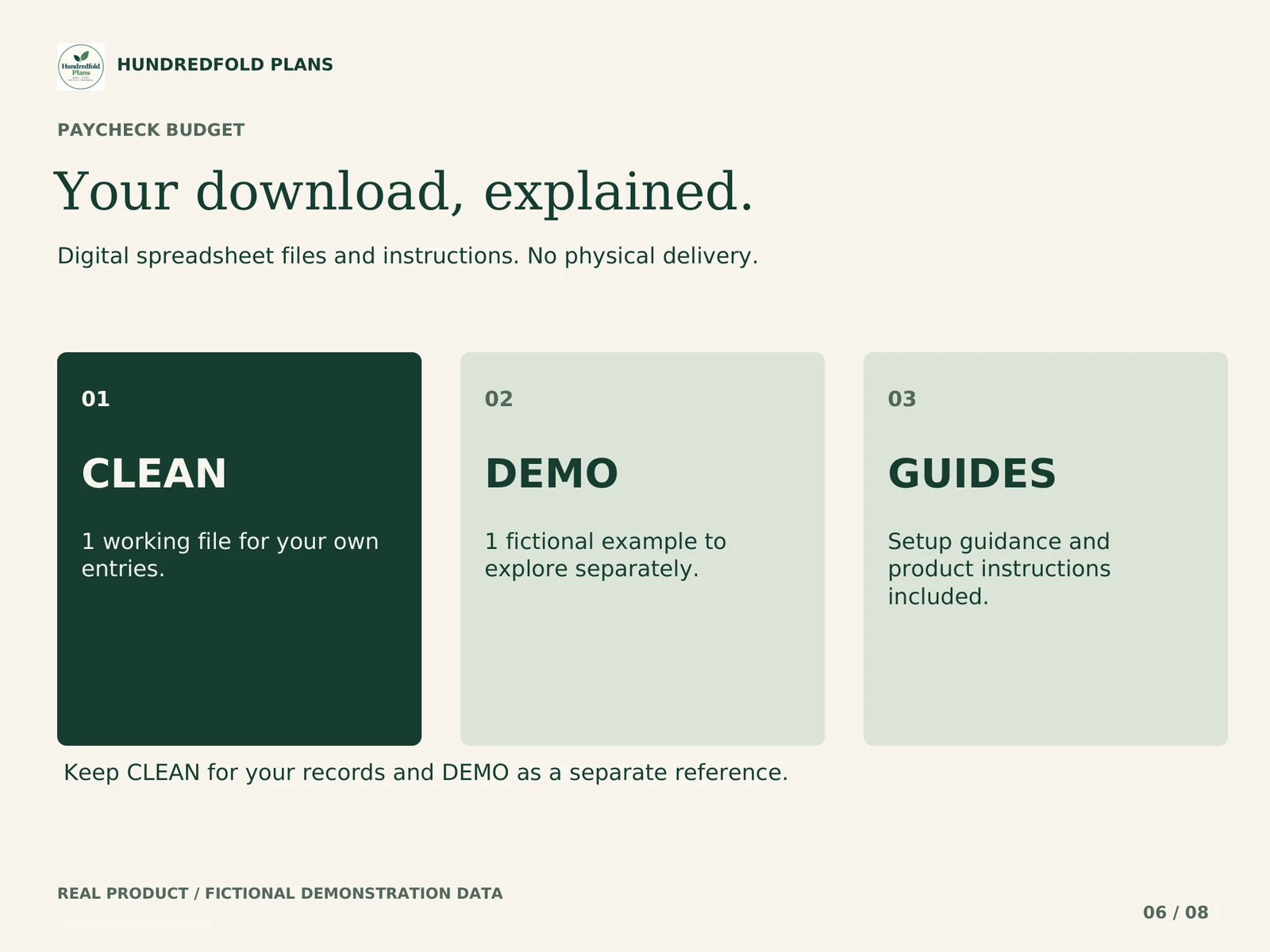
- CLEAN and DEMO import files, START_HERE.pdf, QUICK_START.pdf, TROUBLESHOOTING.pdf and version notes.
The limits that affect your plan
The workbook covers 400 days, up to 60 pay occurrences per income source, 200 bill occurrences and 600 actual transactions. You enter future bill occurrences yourself. It does not shift payday dates for weekends or holidays automatically.
A bill due on the next payday belongs to the next period in this tool. An overdue active bill remains reserved. If no future payday is available, the view uses a labeled fallback of up to 30 days. Check the period label before relying on a result. Projected carry is a planning figure, not a bank balance or a guarantee.
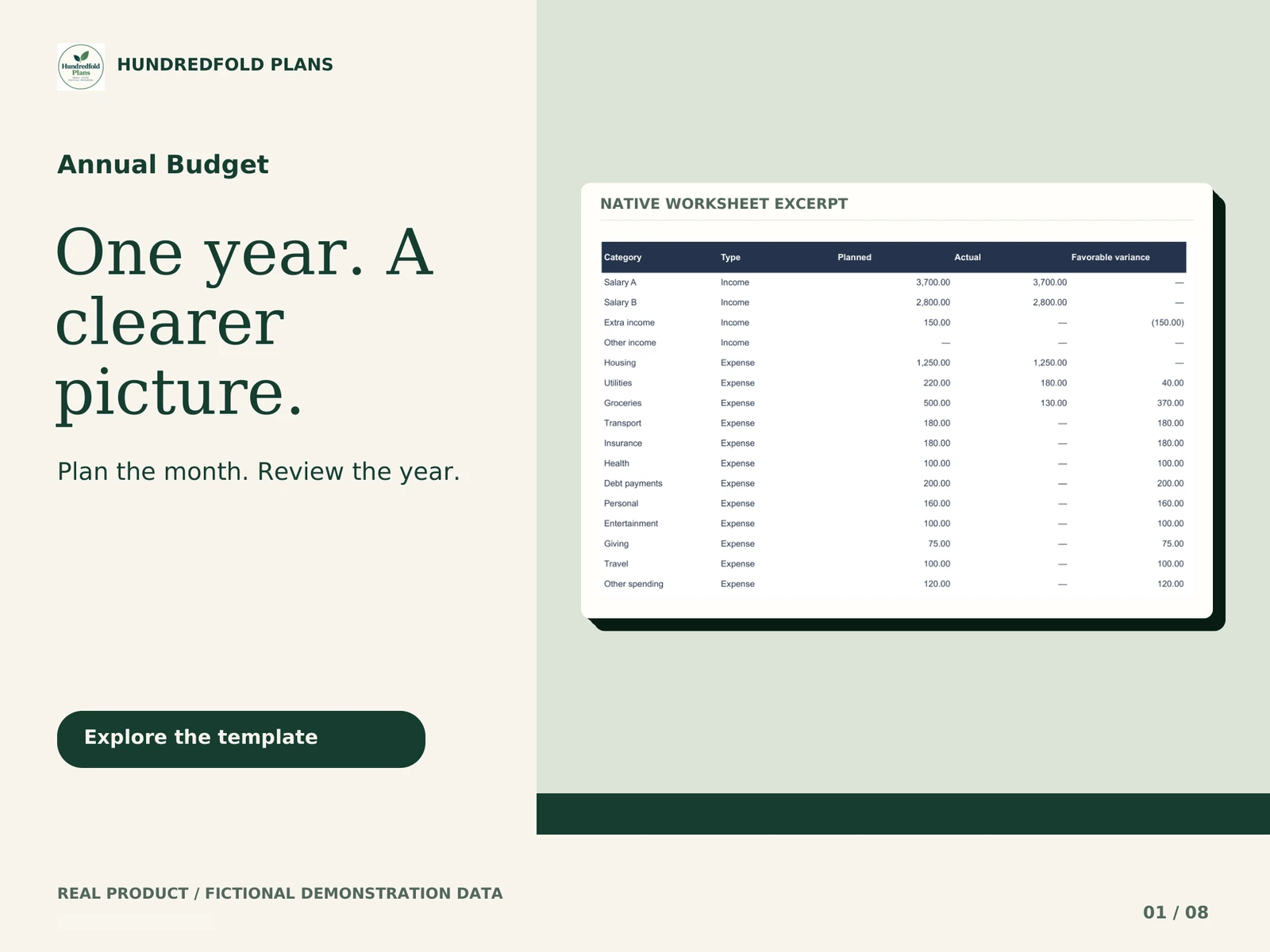
For due dates alone, the Free Bill Calendar may be enough. For twelve monthly category plans, compare Annual Budget.
Workbook demonstration
What arrives and how to start
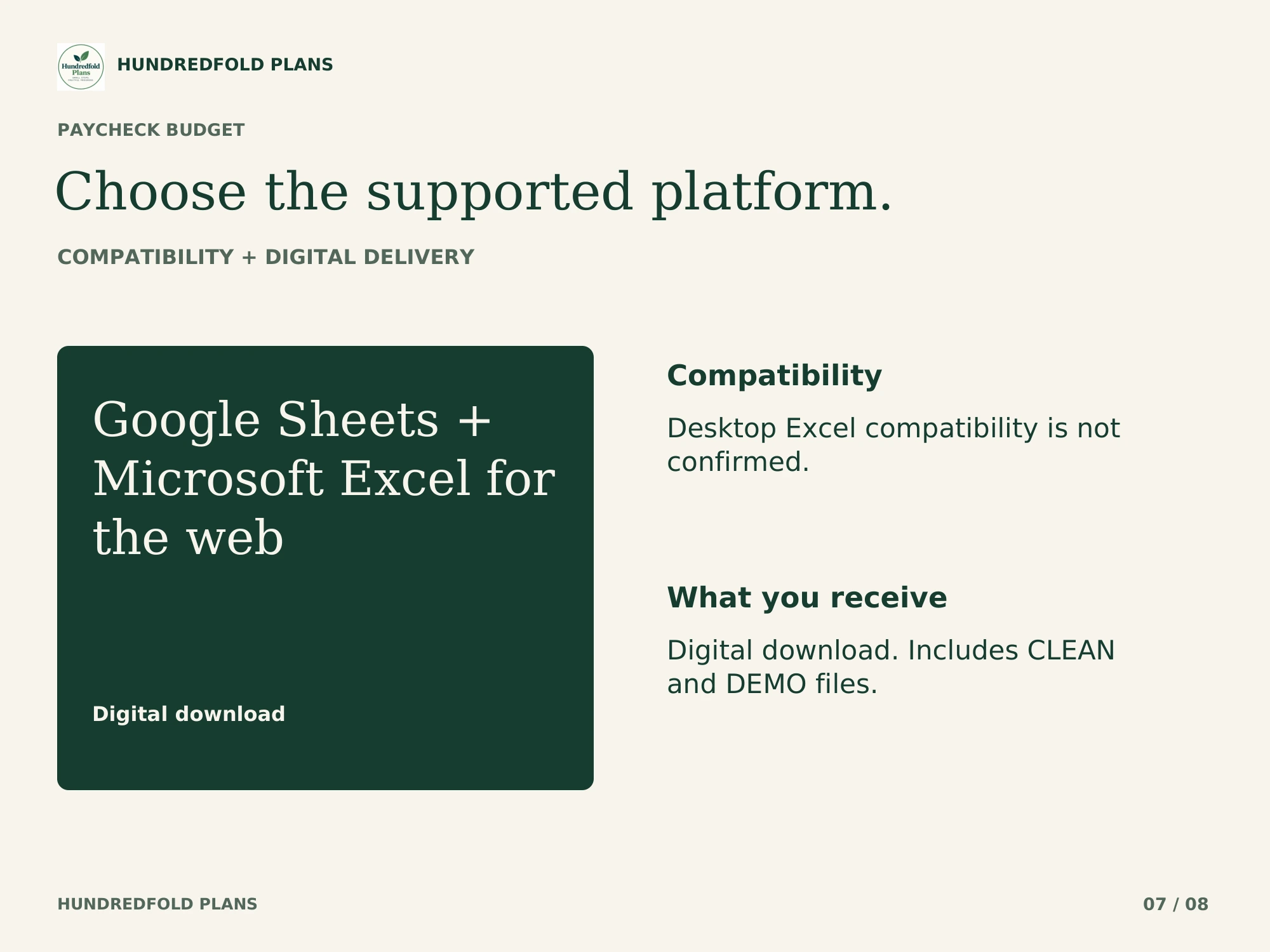
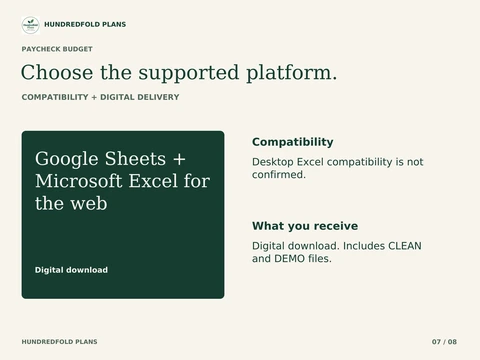
Your digital download contains separate CLEAN and fictional DEMO .xlsx files, PDF instructions and version notes. Use CLEAN for your own figures. Keep DEMO as a worked reference and keep the original downloads for a fresh start.
Unzip the download on your computer. For Google Sheets, upload CLEAN to your own Google Drive, open it with Google Sheets, and choose File > Save as Google Sheets. Work in the new Google spreadsheet, beginning with START HERE and the amber input cells. Read the step-by-step import guide.
Google Sheets and Microsoft Excel for the web are verified. Microsoft Excel Desktop is UNVERIFIED. Use your own Google account for Google Sheets or Microsoft account for Excel for the web. Apple Numbers and Notion are not supported. Desktop browser setup is recommended; this release is not optimized for phone entry. Use one currency per copy, with no currency conversion. See compatibility and capacity.
Questions before you choose
Can I use it for a biweekly budget?
Yes. Each of the one or two income sources can use biweekly, semimonthly or monthly pay. Biweekly means every fourteen days. Check employer dates and use the supplied one-occurrence overrides when a particular payday differs. Weekly and irregular freelance scheduling are outside the supported regular-pay setup.
What happens after a partial bill payment?
The linked actual payment reduces the unpaid part of that bill occurrence. Review the remaining amount; do not mark the whole obligation as settled just because a payment was entered.
Why choose it over the free calendar?
The free calendar organizes bill dates and Open/Paid status. Paycheck Budget also connects actual payments to remaining bill obligations and places them alongside pay schedules and a spending reserve. Choose it when you need that demonstrated cash-timing review.
Does the projected remainder tell me what I can spend safely?
It is a calculation from your entries and the selected window. Missing bills, unrecorded payments or a low reserve change its meaning. It is not a bank balance, an automatic affordability decision or a guarantee.
Help with the supplied files
For a direct purchase, use the support contact in your Lemon Squeezy receipt; for an Etsy purchase, message the shop through your Etsy order. Include the product name, tab and cell, what you tried, and a screenshot with personal information removed. Support covers the files and import instructions. It does not include personal financial advice or custom bookkeeping.
This is a digital organization or scenario tool. No physical item is shipped, no bank account is connected, and no payment is made for you. Examples use fictional figures and do not promise a financial outcome.