ZIP · CLEAN + fictional DEMO + PDF guide · No email signup · Google Sheets required
Use this calendar when your main question is which recorded bills are still open on each date. Enter bill occurrences, amounts and Open/Paid status, then view the selected month. The free resource does not require an email signup.
Start with three bill dates
After importing CLEAN into Google Sheets, enter three upcoming occurrences in BILLS: the bill name, due date, amount and Open/Paid status. Select the matching month on BILL CALENDAR and check the dates against your own bills. Add later occurrences manually as you need them.
Use DEMO only as a fictional reference. The free file is useful on its own and does not require a paid product.
Try the fictional example
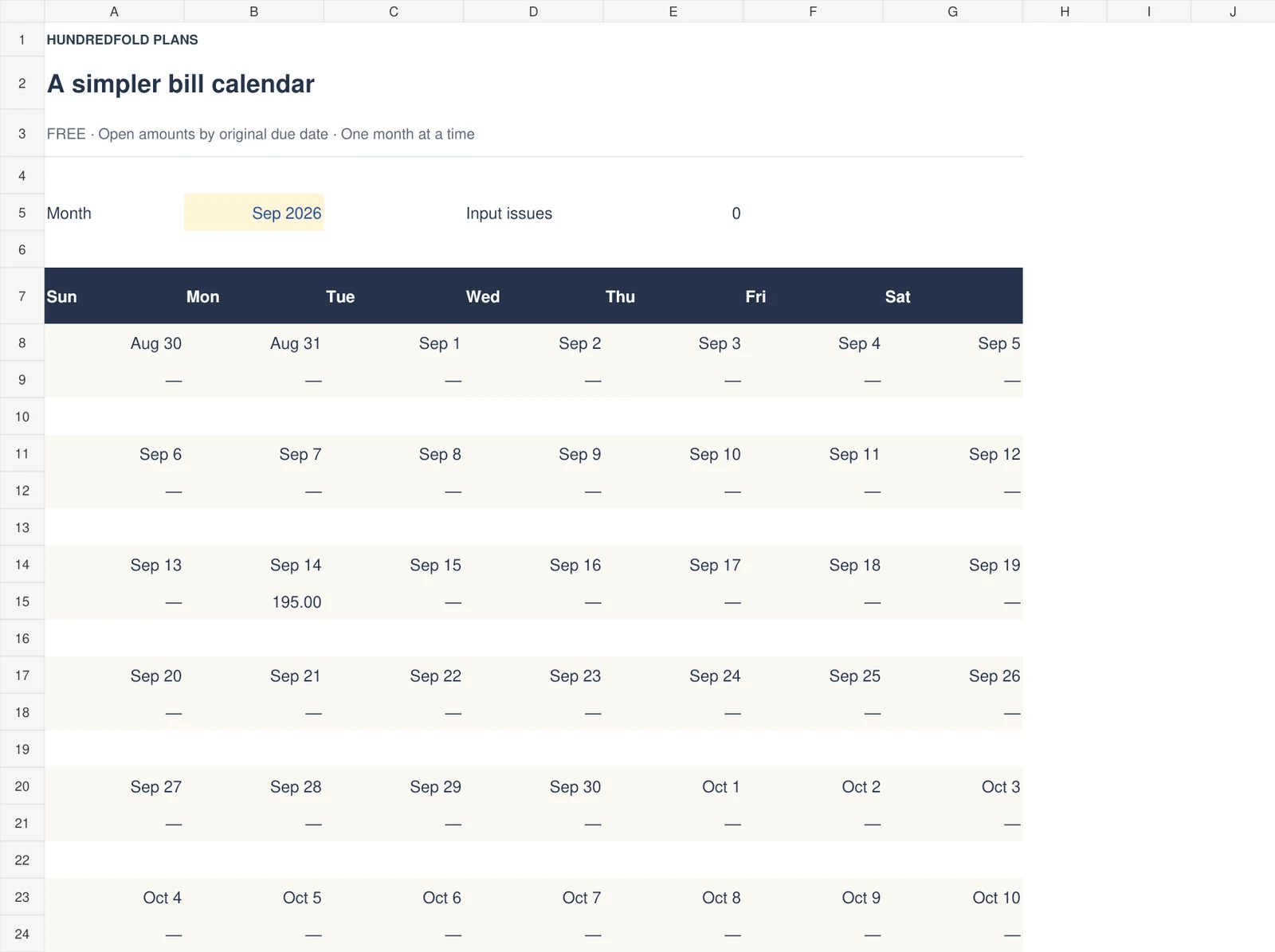
The September 2026 example has two open bills on September 14: internet at $65 and electricity at $130. The calendar shows $195 for that date. When internet is fully paid and marked Paid, $130 remains open. Mark a bill Paid only after the full amount has been paid.
The supplied example contains invented figures. Use the separate CLEAN workbook for your own bills; do not mistake the example's totals for your household plan.
Start your own calendar
Download the free Bill Calendar ZIP, version 1.0.2. No email signup is required. Unzip the package to find CLEAN, the fictional DEMO, START_HERE_AND_GUIDE.pdf and VERSION_CHANGELOG.txt.
Use the CLEAN .xlsx file, keep DEMO separate, and read START_HERE_AND_GUIDE.pdf. Upload CLEAN to Google Drive, open it with Google Sheets, then choose File > Save as Google Sheets. On BILLS, enter each occurrence yourself. On BILL CALENDAR, select the month. Add next month's bill occurrences manually. See detailed import help.
| September 14 fictional example | Internet | Electricity | Open total |
|---|---|---|---|
| Both bills Open | $65.00 | $130.00 | $195.00 |
| Internet changed to Paid | $0.00 open | $130.00 | $130.00 |
Mark Paid after full payment. This calendar does not maintain a partial-payment ledger.
What it does and does not show
Capacity is thirty bill occurrences. The calendar adds open amounts by original due date. It has no income schedule, bank balance, partial-payment ledger, automatic renewal or notification system. A due-date total does not show whether enough cash is available.
This release is a Google Sheets import download. It does not include a standalone printable calendar PDF. The included PDF is the setup guide. Excel, Apple Numbers and Notion are not supported; desktop browser setup is recommended.
Free calendar questions
Is an email address required?
No. The ZIP downloads directly from this page. There is no email signup or checkout.
Is this a printable PDF calendar?
No. It is a Google Sheets import package. The included PDF explains setup; it is not a standalone printable bill calendar.
Will next month's bills appear automatically?
No. Enter each future occurrence yourself. The file supports up to thirty bill occurrences and displays the selected month.
When the free file is enough
Keep using it for dates and Open/Paid status. If you need actual payments linked to remaining bills and one or two income schedules, see Paycheck Budget or watch the example. The free calendar can be used on its own.